


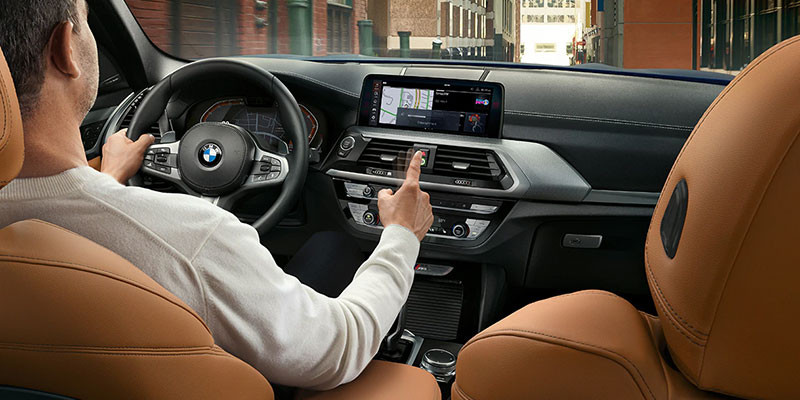
BMW is known for producing some of the most impressive and innovative vehicles on the market. One feature that truly takes this to the next level is the BMW Gesture Control, a system where you can control certain aspects of your BMW through hand gestures alone. We’ve put together a comprehensive overview of this feature below so you can stay up-to-date on the latest and greatest from BMW.
What Is BMW Gesture Control?
Put shortly, Gesture Control is a system that allows you to access select functions of your BMW by only using hand gestures. A 3D camera in the roof headliner detects certain gestures made in a defined area of the center console. These are then interpreted by your BMW’s iDrive system and carried out accordingly.
What Can It Do?
To keep things functioning smoothly, only certain hand gestures can be picked up by the 3D camera. These gestures can control various functions such as accepting and declining telephone calls, confirming and closing pop-ups on the user interface, increasing and reducing volume, and skipping music tracks. You can also set customizable hand gestures in addition to the ones that come pre-programmed.
Common Gestures
It’s important to keep in mind that all gestures must be done in front of the iDrive interface in order to access the controls. To accept calls, move your index finger toward the iDrive display and pull it back. To decline calls, swipe your hand to the right. For navigating the menu, use two fingers to point to a designated spot on the touchscreen.
To increase or decrease volume, circle your index finger clockwise or counter-clockwise, respectively. For skipping audio tracks, move your extended thumb to the left to skip backward and to the right to skip forward. To access the customizable hand gestures, extend all five of your fingers, form a fist, and then extend again.
Enabling and Disabling
To enable or disable Gesture Control in BMW Operating System 8, select the menu option, vehicle apps, system settings, and gesture control on the iDrive interface. For Operating System 7, select the car option, settings, general settings, gesture control. There will be a tick mark that you need to set or remove in order to turn Gesture Control on or off.
Availability
Gesture Control is included with models that feature BMW Operating System 7 and 8, but has been discontinued with those containing iDrive X, which opts for a voice command feature instead.
Gesture Control adds a whole new layer of convenience during your daily commutes. If you’re thinking about taking the next step towards purchasing a BMW, visit us here at Tom Bush BMW in Jacksonville, FL to browse our inventory and schedule a test drive.
Connect with us


