


BMW Remote Services and Digital Key are the two connected-car features most owners ask about after delivery. Both rely on separate technical layers inside the ConnectedDrive ecosystem. Neither feature is simply an app button. Each operates through a distinct communication protocol. This post explains the mechanics behind each feature, how they relate to one another, and what setup your specific vehicle and phone require.
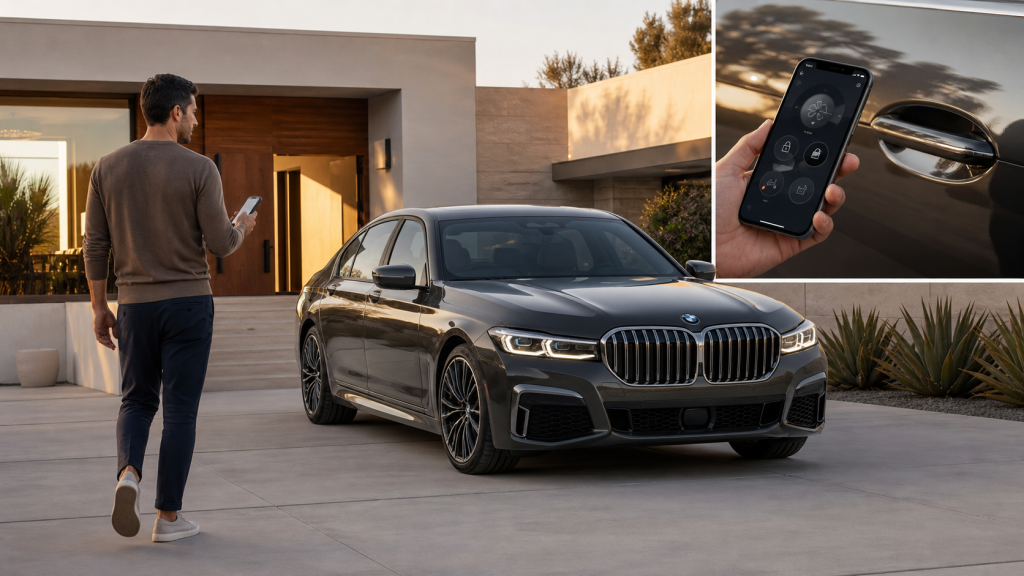
What BMW Remote Services Does and How It Reaches Your Car
BMW Remote Services is a cellular-based command layer. It lets the My BMW app send instructions to a vehicle regardless of physical distance. The key word is cellular. Remote Services does not operate over Bluetooth or Wi-Fi. Commands do not require the owner to be near the car.
Every BMW with ConnectedDrive Services carries an embedded SIM card installed at the factory. That SIM card maintains an active data connection through a carrier network. It operates independent of any phone or hotspot. When an owner sends a remote lock command through the My BMW app, the instruction travels from the phone to BMW’s servers. From those servers, it routes to the embedded SIM card in the vehicle. The car receives the command, executes it, and sends a confirmation back through the same path.
This architecture is what makes Remote Services work from a different city. The car does not need to be visible or nearby. It only needs to be within cellular coverage range. The functions available through this channel include door locking and unlocking, remote climate activation, and vehicle locating through flashing lights or horn activation. On equipped models, remote engine start is also available. Each command uses the same relay path: app to server to embedded SIM to vehicle.
Activating Remote Services requires a one-time setup. The owner must register a BMW ID and link the vehicle using the last seven digits of the VIN. After that, Remote Services must be enabled within the ConnectedDrive customer portal or the My BMW app. The connection is then persistent. No re-authorization is required per session.
What Separates Digital Key from Digital Key Plus?
BMW Digital Key and BMW Digital Key Plus both allow a smartphone to replace the physical key fob. However, the communication technology each version uses is fundamentally different. That difference changes how the driver interacts with the car at the door.
The standard Digital Key uses near-field communication, or NFC. NFC requires the phone to come within a few centimeters of the driver’s door handle to trigger the lock or unlock command. Contact is deliberate. Once the driver holds the phone to the handle, the antenna in the door reads the credential stored in the phone’s digital wallet. A confirmation signal returns and the car responds. It functions similarly to a tap-to-pay transaction.
Digital Key Plus replaces NFC with Ultra Wideband, or UWB, technology. UWB sends short pulses across a wide frequency range. It uses the time difference of arrival between multiple antennas distributed around the car to calculate the phone’s exact position in three-dimensional space. The car continuously tracks the phone’s location as the driver approaches. When the system confirms the phone is within a calibrated threshold distance, the doors unlock automatically. No tap required. The driver walks up and the car is already open.
This passive unlock is the core distinction between the two versions. Beyond that, Digital Key Plus supports tailgate control and direct lock and unlock commands through the My BMW app when the phone is in close proximity to the car. Standard Digital Key does not support those functions. Digital Key Plus requires iDrive 8 or a newer operating system. That requirement exists because iDrive 8 includes the UWB antenna integration. It also carries the updated Car Connectivity Consortium framework the protocol runs on.
Sharing a Digital Key and How Access Restrictions Are Enforced
BMW allows the primary owner to share Digital Key access with up to five additional people. Sharing uses iMessage for iPhone users and sends a credential to the recipient’s digital wallet. Recipients do not need a BMW ID to receive and use a shared key. Downloading the My BMW app is also not required on their device.
Access restrictions are available at the time of sharing. The primary owner can limit top speed and cap maximum audio volume on a shared key before sending it. These restrictions are not monitored remotely or enforced through the app after the fact. They are embedded in the digital key credential itself at the moment the key is created.
This matters because it explains how enforcement works. The Car Connectivity Consortium Digital Key standard is the industry framework BMW’s system is built on. It writes the permission parameters into the credential file. Every time the shared key is used to unlock and start the car, the vehicle reads those parameters. Speed limiting and audio capping activate at the hardware level when the vehicle recognizes a shared key credential with those flags set. No ongoing oversight is required from the person who shared the key.
Device Compatibility and What to Do When Your Phone Has No Power
Compatibility for each version of the Digital Key follows a clear split by device type and vehicle generation. The standard Digital Key, which uses NFC, is available on 2021 and newer BMW models and is compatible with Apple devices only. Digital Key Plus, which uses UWB, is available on models running iDrive 8 or newer. It supports both Apple and Android devices including Google Pixel and Samsung Galaxy. Models confirmed compatible with Digital Key Plus include:
- BMW 3 Series (2023 and newer), BMW 2 Series Coupe (2023 and newer), and BMW 4 Series (2024 and newer) are all supported on the UWB platform through their iDrive 8 architecture.
- BMW X1 (2023 and newer), BMW X5 (2024 and newer), BMW X6 (2024 and newer), and BMW X7 (2023 and newer) each carry the antenna array required for passive unlock with Digital Key Plus.
- BMW iX (2022 and newer), BMW i4 (2022 and newer), BMW i5 (2024 and newer), BMW i7 (2023 and newer), and BMW XM (2023 and newer) were among the first models to ship with the full UWB integration at launch.
A common concern is what happens when the phone runs out of battery. BMW addresses this in two ways. First, compatible iPhones retain a low-power NFC reserve even when the battery is critically low. This allows the Digital Key to function briefly after the phone would otherwise appear dead. Second, BMW provides a Digital Key Card during setup. That card is an NFC credential shaped like a credit card. It stores independently of the phone and can be used on any compatible model the same way a phone-based NFC key would. Storing the card at home is the recommended approach. That placement ensures it serves as a genuine backup.
How ConnectedDrive Ties the Remote and Access Layers Together
ConnectedDrive is not a single feature. It is the infrastructure platform that Remote Services, Digital Key, and the My BMW app all run within. Without an active ConnectedDrive subscription, the cellular relay that Remote Services requires does not function. Furthermore, the BMW ID account created during ConnectedDrive setup links the vehicle to the app, authorizes key-sharing, and stores personalized driving profiles.
BMW includes a trial ConnectedDrive subscription with new vehicle purchase. After the trial period, the owner selects which services to continue. Remote Services, real-time traffic, and BMW Intelligent Personal Assistant are each available as standalone subscriptions or in bundled packages through the ConnectedDrive Store. Digital Key itself does not require an active subscription after initial setup. The credential is stored in the phone’s wallet. It communicates directly with the vehicle’s NFC or UWB antennas without a server relay.
For owners who want to evaluate what requires renewal and what does not, the separation is clear. The cellular command layer behind Remote Services requires an active data plan routed through ConnectedDrive. The proximity-based access layer behind Digital Key operates independently once provisioned. Both are managed through the same My BMW app interface, which is why they are frequently grouped together in conversations about BMW ownership technology. However, they draw from different infrastructure. Knowing that separation helps owners make informed decisions about which subscriptions to carry and which credentials to maintain after the trial period ends.
Connect with us


